

With your hands on computer hardware, EquilibrateIT Automation lets you make your own decisions about all kinds of services!
- Data Services (Nextcloud, SSHFS)
- Media Streaming Library (Jellyfin)
- Communication Services (Discourse, Internet Relay Chat, Jabber/XMPP)
- Artificial Intelligence (Epistemology.dev, Libre.Chat)
- Digital Asset Services (Bitcoin, LND, Eclair, ThunderHub)
- + More!
We’re happy to help you get started! To prepare for automation on your own,
Install Linux
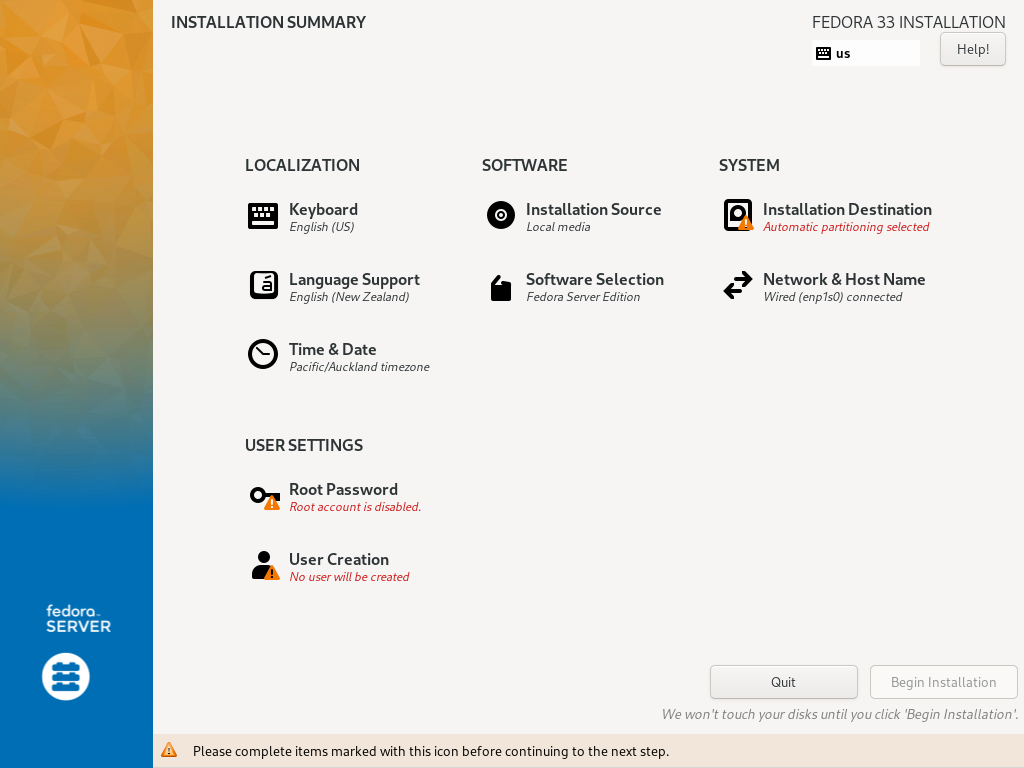
EquilibrateIT Recommends AlmaLinux or Rocky Linux
(Watch Learn Linux TV Explain Linux Installation via USB)
Step 1: Download the Disk File (ISO)
Step 2: Create USB (macOS)
Step 2: Create USB (Windows)
Step 3: Linux Installation Process
Configure Your Network
Internet Service Providers
Your services will rely on Port Forwarding to serve you via the internet. (Watch TechQuickie Explain Port Forwarding)
Rogers (or Contact Technical Support)
Bell (or Contact Technical Support)
Telus (or Contact Technical Support)
Xplornet (Unavailable – Workarounds Only. See Technically Rural for details)
Beyond Your ISP
Ask us about Virtual Private Network (VPN) Services (Watch Jeff Geerling Explain VPNs)